
WordPress vs Custom Website: Which Is Right for Your Small Business in 2026?
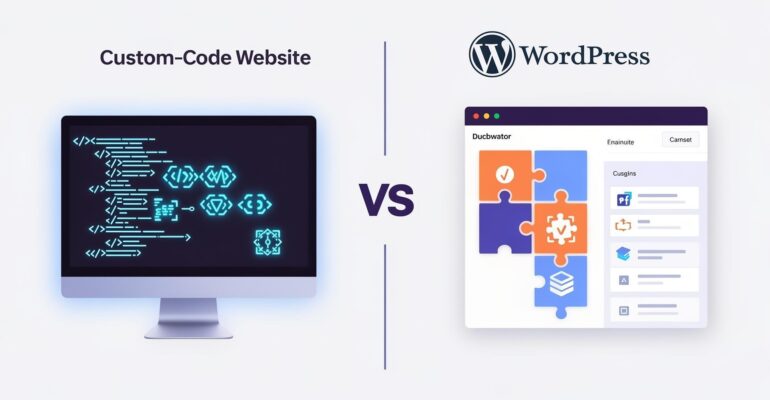
WordPress vs Custom Website: Which Is Right for Your Small Business in 2026?
 Rutuja Gaikwad
Choosing the right website platform is an important decision for any small business. Your website helps customers learn about your services, build trust in your brand, and contact your team. But should you choose WordPress or invest in a custom-coded website? Understanding the differences between WordPress vs custom website development can help you make the right decision for your business goals, budget, and future growth.
Both options can create a professional online presence. However, they differ in development time, flexibility, maintenance, and technical requirements. In this guide, we will explain both options in simple language so you can choose the one that suits your business in 2026.
What Is a WordPress Website?
WordPress is a content management system (CMS) that allows you to create and manage a website without building every feature from scratch. It offers themes, plugins, and an administration dashboard for managing pages, images, blog posts, and other content.
For example, a local service business can use WordPress to display its services, publish blogs, share customer testimonials, and collect enquiries through contact forms.
Benefits of WordPress
1. Easy content management: You can update text, images, services, and blog posts through the dashboard.
2. Faster development: Themes and plugins can reduce the time needed to build a website.
3. Flexible design: Themes and custom development can help match your brand identity.
4. SEO capabilities: SEO plugins and content tools help manage titles, meta descriptions, sitemaps, and other SEO elements.
5. Expandable features: You can add functionality such as forms, booking systems, and e-commerce features using suitable plugins or custom development.
Limitations of WordPress
WordPress still requires proper maintenance. Too many plugins, poorly coded themes, or unsuitable hosting can affect performance and security. Some advanced features may also require a developer.
What Is a Custom-Coded Website?
A custom-coded website is developed specifically for a business using programming languages and web technologies. Instead of relying primarily on a ready-made theme and plugins, developers build the design, functionality, and integrations according to the project requirements.
For example, a business that needs a specialised customer portal, complex booking process, or integration with internal software may benefit from custom development.
Benefits of Custom Website Development
1. Greater flexibility: Features can be designed around specific business requirements.
2. Tailored user experience: The layout and user journey can be created for your target customers.
3. Control over functionality: Developers can build integrations and specialised workflows.
4. Performance opportunities: A well-engineered website can avoid unnecessary code and deliver efficient performance.
5. Room for complex features: Custom solutions can support unique business processes as requirements grow.
Limitations of Custom-Coded Websites
Custom projects often need more planning, development, testing, and technical expertise. Small changes may require developer support, depending on how the website is built. Ongoing maintenance, hosting, security updates, and future improvements must also be considered.
WordPress vs Custom Website: Key Differences
| Factor | WordPress Website | Custom-Coded Website |
|---|---|---|
| Cost | Often more affordable for standard websites; premium themes, plugins, and custom work add costs | Often requires a larger initial investment, depending on complexity |
| Time to build | Usually faster for standard business websites | Often takes longer because features are built and tested individually |
| Ease of updating | User-friendly dashboard for routine content changes | Depends on whether a CMS or custom admin panel is provided |
| Speed | Can be fast with good hosting, caching, and optimisation | Can be highly efficient when properly engineered |
| Security | Requires core, theme, and plugin updates and secure configuration | Requires secure coding, testing, and ongoing maintenance |
| SEO | Supports SEO through technical configuration, plugins, and quality content | Supports SEO when developers implement technical SEO correctly |
| Best for | Small businesses, service providers, blogs, and many standard online stores | Businesses needing specialised workflows, integrations, or unique functionality |
These comparisons are general. The actual cost, delivery time, security, speed, and SEO performance depend on the scope and quality of the project.
Is WordPress Good for a Business Website?
Yes, WordPress can be a strong choice for a small business website when the requirements match its capabilities. It is especially useful when a business wants to publish content regularly and manage routine website updates without depending on a developer for every change.
Choose WordPress If You Need:
- A professional website for your local business.
- Service pages, contact forms, and customer testimonials.
- A blog to attract organic traffic through useful content.
- A standard online store or appointment booking system.
- A website that your team can update through a dashboard.
A WordPress website can also be customised to suit your branding and business goals. Before choosing it, confirm that your theme, plugins, hosting, and security setup support your requirements.
If you are planning a new website, read our guide to Website Cost in India to understand the factors that influence your project budget.
When Should You Choose Custom Website Development in India?
Custom website development may be suitable when your business needs features that standard website tools cannot support efficiently.
Choose a Custom-Coded Website If You Need:
- A specialised customer dashboard or membership platform.
- Complex integrations with business software or internal systems.
- A unique booking, quotation, or workflow management system.
- Specific functionality that is difficult to implement reliably with existing tools.
- Greater control over a complex digital product as it develops.
Custom development is not automatically faster, cheaper, or better for SEO. Its value comes from building the right solution for clearly defined requirements.
Before hiring a developer, compare the proposed features, delivery milestones, maintenance plan, and ownership of the code.
How to Choose the Right Website for Your Business
Start by identifying what your website must achieve. Do you primarily need customers to discover your services and submit enquiries, or do you need a specialised digital platform?
1. Define Your Business Goals
List your essential pages and features. A service business might need a homepage, service pages, testimonials, a blog, and an enquiry form. A more complex business may require customer accounts, integrations, or automated processes.
2. Set a Realistic Budget
Consider more than the initial development fee. Include hosting, domain renewal, maintenance, security, content updates, SEO, and future improvements. For an accurate estimate, request a project-specific proposal instead of relying on generic price comparisons.
Choosing the right development partner is equally important. Read our guide on How to Choose the Right Web Development Company in India to understand what to check before hiring a website development company
3. Consider Who Will Update the Website
If your team publishes blogs and changes service information regularly, a user-friendly CMS may be valuable. If your website includes specialised functionality, ask whether a custom admin dashboard will be provided.
4. Evaluate Performance and SEO
Both WordPress and custom-coded websites can perform well in search engines. Important factors include useful content, mobile usability, loading speed, crawlability, secure connections, page structure, and appropriate metadata.
Ask your development team how these requirements will be tested before launch.
5. Think About Future Growth
Choose an approach that can support your likely needs over the next few years. Avoid paying for complex functionality you do not need today, but do not ignore essential requirements that could make a basic solution unsuitable.
Not sure which is right for you? Get a free consultation from Groweb. Discuss your business goals, required features, and growth plans with the team before choosing a website solution.
Common Mistakes to Avoid
Choosing Only by Initial Cost
A lower initial quote may not include maintenance, premium tools, content migration, or future support. Compare the complete project scope and ongoing responsibilities.
Assuming Custom Websites Always Rank Better
Search rankings depend on content quality, technical implementation, user experience, and many other factors. Custom code does not automatically improve rankings, and WordPress does not automatically limit them.
Installing Too Many Plugins
Unnecessary plugins can increase maintenance requirements and introduce performance or security issues. Use reputable, maintained tools and remove those you no longer need.
Ignoring Mobile Users
Your website should work well on smartphones and tablets. Test navigation, text readability, forms, images, and page speed on different screen sizes.
An outdated website can affect user experience and customer trust. Read our guide on 10 Signs Your Business Website Needs a Redesign in 2026 to understand when your business website needs an update.
Forgetting Maintenance and Security
Both website types need ongoing attention. Plan for backups, updates where applicable, security monitoring, performance checks, and recovery procedures.
Not Planning for Future Changes
Confirm who owns the domain, hosting account, website files, content, and any custom code. Understand the process for making changes or moving to another service provider.
Frequently Asked Questions
Is WordPress better than a custom-coded website?
WordPress is often suitable for standard business websites that need convenient content management. Custom development may be better when specialised features or complex integrations are essential.
Which website is cheaper for a small business?
WordPress can be more affordable for standard requirements, while custom development may require a larger initial investment. The final cost depends on features, design, hosting, maintenance, and project complexity.
Which website is better for SEO?
Both can support strong SEO results. Success depends on technical implementation, useful content, mobile experience, performance, and ongoing optimisation rather than the platform alone.
Can a WordPress website handle future business growth?
Yes. WordPress can support many growing businesses through suitable themes, plugins, hosting, and custom development. However, some complex products may eventually need a different architecture.
How long does it take to build a business website?
A standard website may be completed faster than a complex custom project. Timelines depend on the number of pages, required functionality, content readiness, revisions, integrations, and testing.
Conclusion
For many small businesses, WordPress is a practical starting point because it offers convenient content management and a flexible foundation. Custom-coded development is worth considering when your business requires specialised functionality, complex integrations, or a tailored digital experience.
The right decision is the one that meets your current requirements, fits your budget, and supports your future plans without adding unnecessary complexity.
Not sure which is right for you? Get a free consultation from Groweb. Let the team understand your requirements and help you choose a website solution that fits your business goals.
- Call: +91 9284656561
- Email: growebdevelopment@gmail.com
- Website: https://groweb.in
Let’s Grow Your Business Together!


Comment (1)
Landing Page vs Website: Which is Best?
[…] If you are deciding which website development approach suits your needs, read our guide to WordPress vs Custom-Coded Website: Which Is Right for Your Small Business in 2026? […]